
The player and equalizer
Control what plays next, and change how it sounds.
Playback controls
| Control | What it does |
|---|---|
| Shuffle | Plays the queue in random order. Tap again to turn it off. |
| Previous and next | Go back or skip a song. Swiping the album art or the mini player does the same: left for next, right for previous. |
| Play and pause | Starts or pauses the song. |
| Repeat | Each tap moves through repeat off, repeat all and repeat one. The icon shows a small 1 when one song repeats. |
| Heart | Likes or unlikes the song. |
On Android, playback continues in the background. A media notification, the lock screen and headset or Bluetooth buttons all control it.
Change what plays next
In the full player, tap Queue (the list icon at the top right).
The Queue sheet lists the songs in play order.
Press and drag a song to move it up or down.
Use the equalizer
The equalizer changes the sound itself, not only the sliders on screen. It is available on Android only.
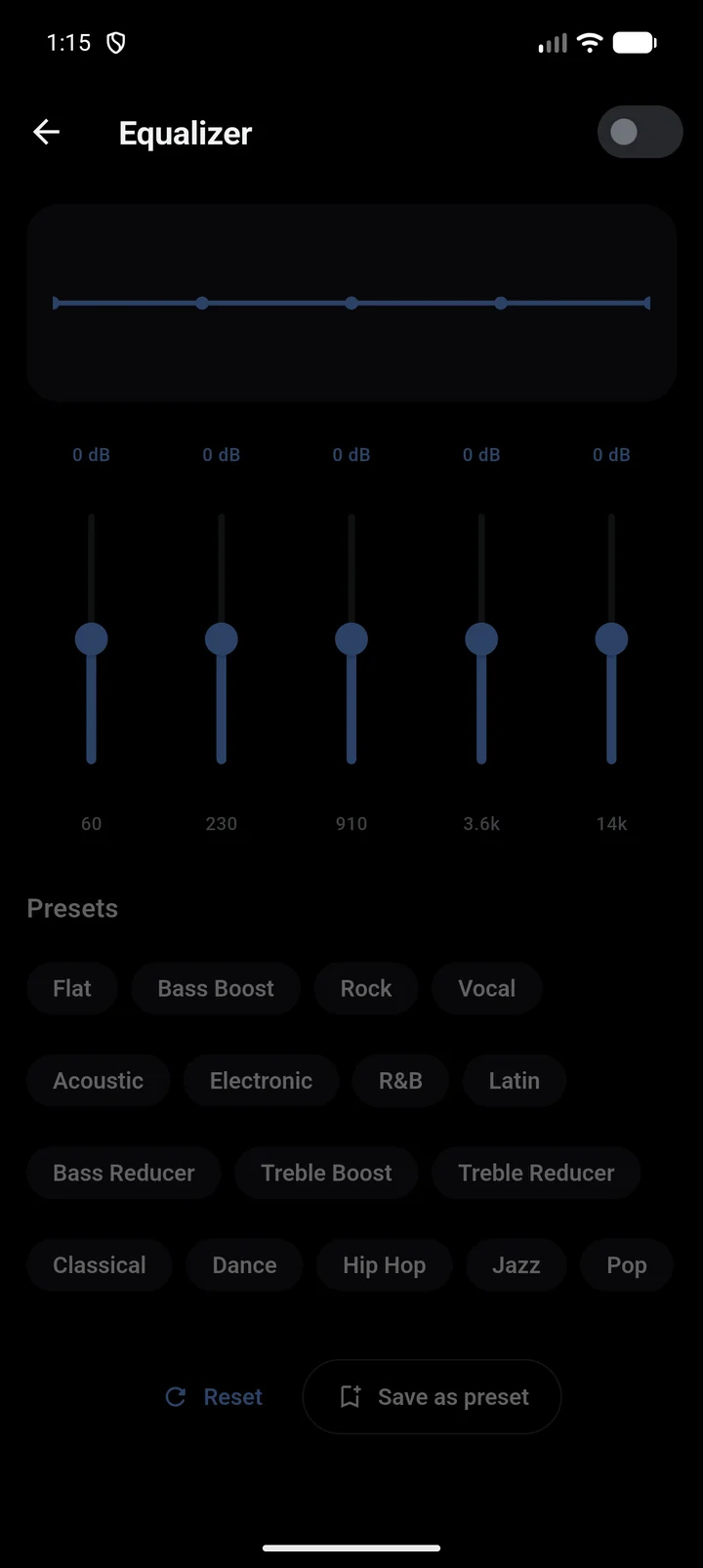
Start playing a song. Before anything plays, the equalizer shows Play a song to use the equalizer.
In the full player, tap Equalizer (the sliders icon at the top), or open Settings > Equalizer.
Turn on the switch at the top right.
Tap a preset under Presets, such as Bass Boost or Vocal, or drag the band sliders yourself.
To keep your own curve, tap Save as preset, type a Preset name and tap Save.
Reset returns every band to 0 dB. Presets you saved have a delete cross on their chip; the built-in ones do not.
Good to know
Your phone decides how many bands there are, which frequencies they cover and how far each can boost or cut. RetroBeat fits the presets to whatever your phone offers, so the same preset can look different on two phones.
Built-in presets: Flat, Bass Boost, Bass Reducer, Treble Boost, Treble Reducer, Classical, Dance, Hip Hop, Jazz, Pop, Rock, Vocal, Acoustic, Electronic, R&B and Latin.