
RetroBeat
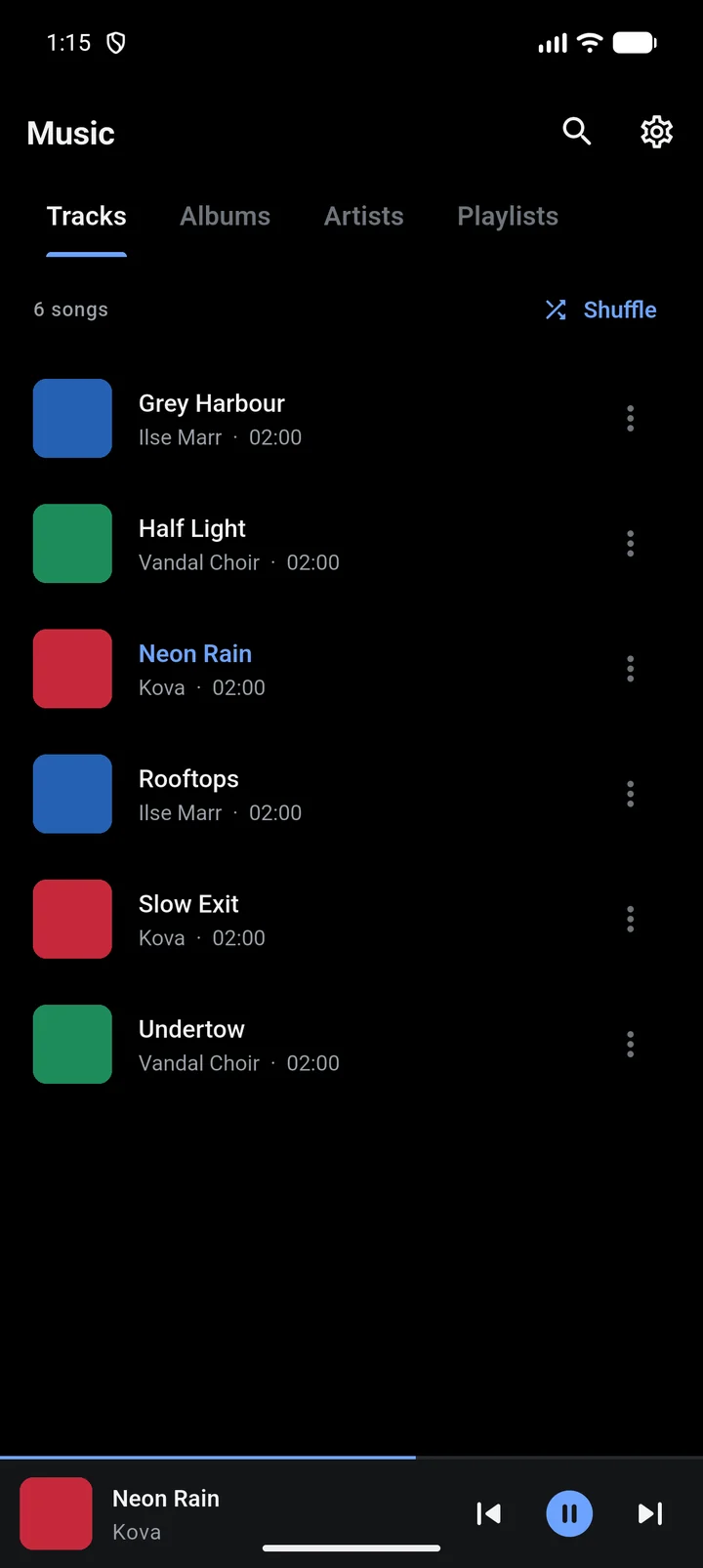
RetroBeat plays the music files already on your device. There is no streaming and no account: it sorts your songs into tracks, albums, artists and playlists, plays them with a full-screen player, and has an optional Retro mode with XP-era visualisations.
Who it is for
- People with their own music files (MP3, FLAC and so on) who want a player without ads, accounts or streaming.
- Anyone who misses Windows Media Player: Retro mode brings back its look and its flowing visualisations.
- Linux users with a NAS or Nextcloud: the desktop version can stream from WebDAV servers.
What it does
| Feature | What it means |
|---|---|
| Library | Your songs sorted into Tracks, Albums, Artists, Genres, Playlists, Groups and Liked. |
| Player | A full-screen player tinted by the album art, with shuffle, repeat, a queue you can reorder and swipe to skip. |
| Playlists and groups | Playlists you make by hand, plus groups that fill themselves: Favorites, Most Played and Recently Added. |
| Equalizer | Presets and per-band control, applied to the sound (Android). |
| Background playback | Keeps playing with the screen off, with lock-screen, notification and headset controls (Android). |
| Retro mode | A Windows Media Player skin with eight visualisations. |
| Servers | Browse, stream, copy and move music on WebDAV servers (desktop only). |
Privacy
On Android, RetroBeat has no internet permission at all, so it cannot send or receive anything. It has no analytics, ads or crash reporting. Your playlists, liked songs and settings are kept in a local database and removed when you uninstall the app.
The microphone permission is only asked for if you turn on Audio-reactive in Retro mode. Nothing is recorded; see Retro mode.
Platforms
- Android 7.0 or later: the full app, built around Android's music library.
- Linux desktop: the same app in a window. You pick the folders to scan, and you can add WebDAV servers. There is no equalizer or background media controls on desktop.
RetroBeat is open source under the MIT licence. The source code and the issue tracker are on GitHub.