
Teach your own signs
Fingerspelling every word is slow. In SignVox you can teach your own signs for whole words, such as "coffee" or "thank you". You record each sign a few times, and SignVox then recognises it in Signs mode and speaks it. Your signs stay on your phone.
SignVox does not come with a built-in sign dictionary. It learns the signs you show it, in the way you sign them.
Record a new sign
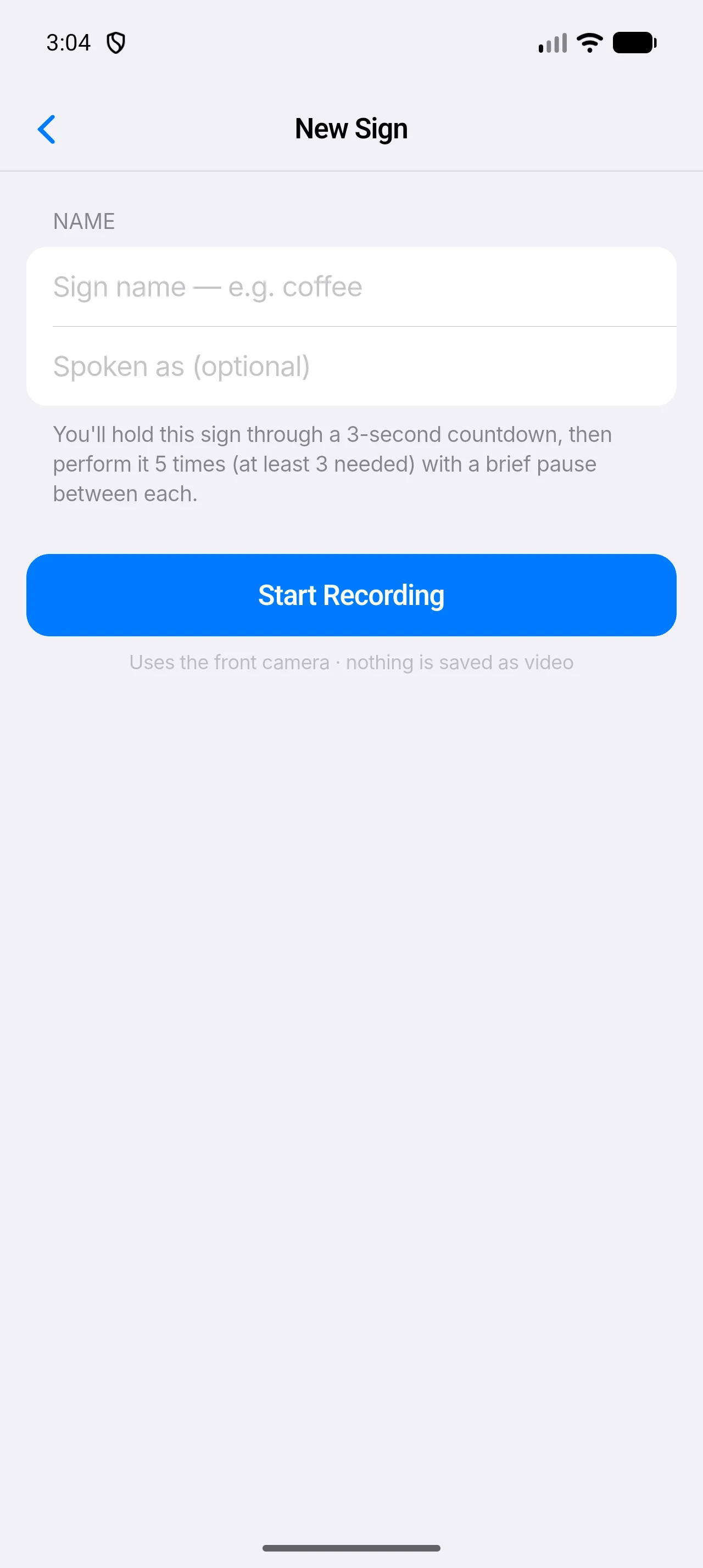
Open the Teach tab and select Teach a sign (or Teach a Sign if you have none yet).
The New Sign screen opens.
Type a name in Sign name — e.g. coffee.
Optional: in Spoken as (optional), type what SignVox should say if it differs from the name. For example, name the sign
thanksand have it spoken asThank you very much.Select Start Recording.
After a 3-second countdown that reads Get ready…, the screen asks you to perform the sign.
Perform the sign five times, with a short pause between each.
A counter shows how many samples are captured, such as 3 of 5 samples. At least 3 are needed.
Select Save Sign.
If fewer than 3 samples were captured, SignVox shows Not Enough Samples. Keep your hands clearly in view and select Try Again. To redo a recording that went badly, select Record Again.
Recording uses the front camera, but nothing is saved as video: SignVox stores only the movement of the points on your hands.
Sign it in Signs mode
On the Translate tab, select Signs.
The strip reads Perform a taught sign.
Perform one of your signs.
SignVox speaks the sign when it is sure. When it is less sure, it asks Did you mean with the sign name and a percentage; tap Use to accept it.
Tap Speak to repeat the whole sentence, or Clear to start again.
Tips for signs that are recognised well
- Sign the way you will really sign, at the same distance from the phone.
- Keep both hands in view if the sign uses both.
- Make each sign clearly different from your other signs. Two signs with almost the same movement are easy to confuse.
- If a sign is often missed, delete it and record it again in better light.
Delete a sign
On the Teach tab, swipe the sign to delete it.